
 MyersCAD
Free browser-based 3D CAD
Easy to start.
Built to make more.
MyersCAD is easy-to-use 3D CAD software for makers. Start with simple shapes, then add precise dimensions, rounded edges, chamfers, and custom sketches—all in your browser.
Open MyersCADFree modeling and exports · No account · No installation
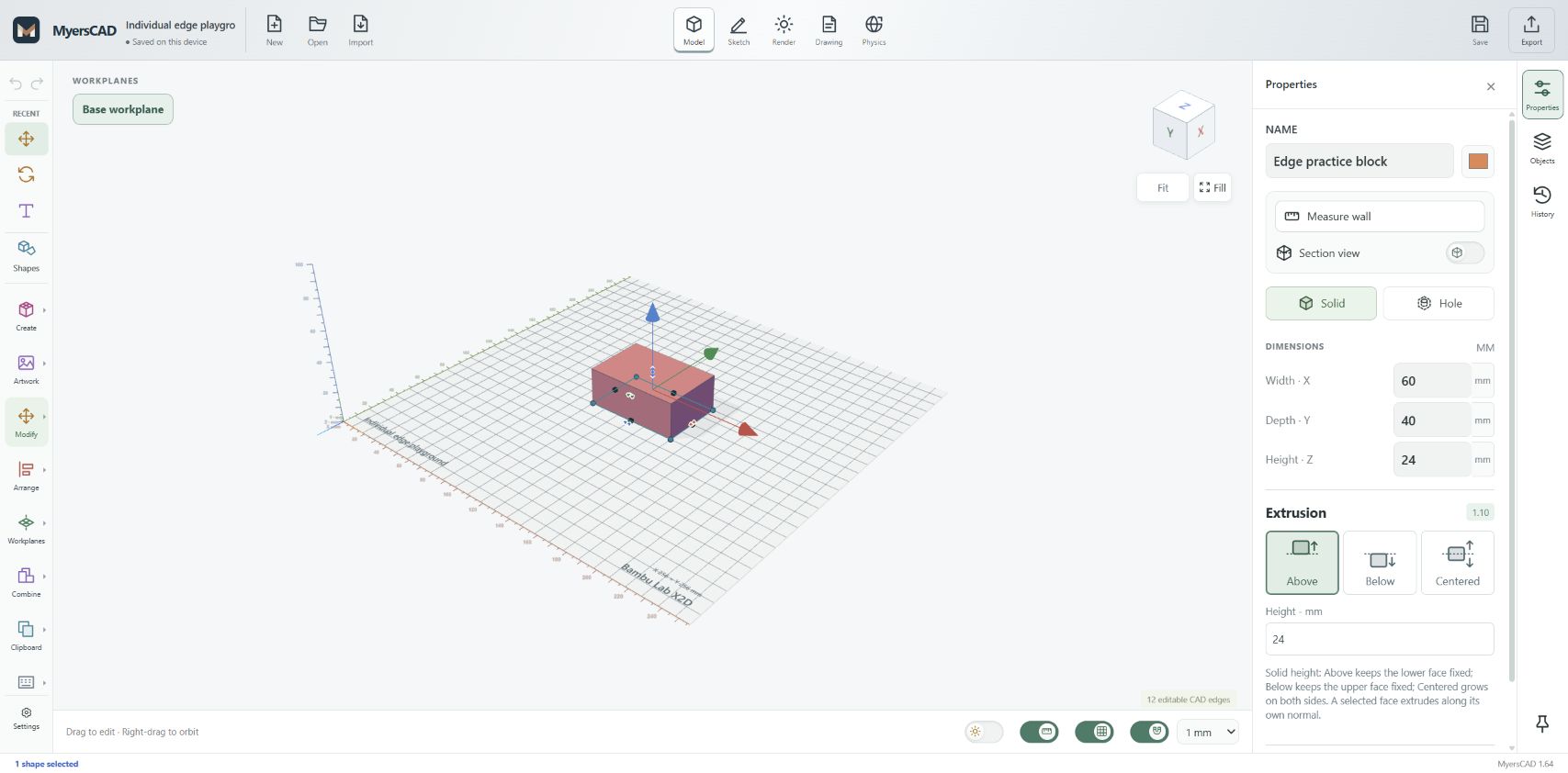
Simple shapes are just the beginning.
For 3D printing, workshop projects, prototypes, and the part you wish already existed.
Think in shapes.
Place shapes, move and resize them, and combine solids or cut holes. Build a model one clear step at a time.
Make the details yours.
Enter exact dimensions, sketch profiles, extrude forms, and refine individual edges with chamfers and roundovers.
Take your model with you.
Export STL or 3MF for your 3D printing workflow, or STEP for compatible CAD and manufacturing software.
From an idea to a part.
MADE FOR MAKERS
A bracket. A jig. A fitting.
A small fix that makes a big difference.
Design practical parts without making a software subscription your first project.
- Start in your browser. Open MyersCAD on a desktop or laptop.
- Build and refine. Add shapes or sketches, set dimensions, and shape the details.
- Save and export. Download your project for safekeeping, then export a model for your next step.
A few things to know.
What is MyersCAD?
MyersCAD is free, browser-based 3D CAD software from Myers Woodshop. It brings a simple shape-based workflow together with solid modeling tools such as sketches, extrusion, rounded edges, chamfers, and exact dimensions.
Is MyersCAD free, including exports?
Yes. Modeling and STL, 3MF, and STEP exports are free. You do not need to create an account or install an application.
How does it compare with Tinkercad or Shapr3D?
If you like Tinkercad’s approachable shape-based workflow, MyersCAD is designed to feel easy to start. It also offers solid modeling tools such as edge roundovers, chamfers, and sketch extrusion for more detailed work. MyersCAD is an independent application; it does not offer every feature or the maturity of Shapr3D or other established CAD products.
Where are my projects saved?
MyersCAD autosaves projects in the browser on the device you are using. This is not a cloud backup or cross-device sync. Use Save to download a project file, especially before clearing browser data or switching computers.
Can I use it for 3D printing or CNC?
You can export STL or 3MF models for a compatible slicer. For CNC work, export a model to compatible CAM software to create and check your toolpaths. MyersCAD does not generate CNC toolpaths or machine G-code.
What are the current limitations?
MyersCAD 1.64 is an early release. A desktop or laptop with a modern browser and working WebGL is the best starting point. Complex models and imported geometry can need extra checking. Rendering, physics, and airflow tools are previews; they are not engineering certification or a substitute for validated simulation.
Make the part you have in mind.
Open the workspace and start with a shape.
MyersCAD 1.64 · An independent project by Myers Woodshop. Tinkercad and Shapr3D are trademarks of their respective owners.